 +923165774042
+923096407032
+923165774042
+923165774042
+923096407032
This file has not been tested. Download it at your own risk.
| Date | 2025-01-04 16:13:16 |
| Filesize | 8.33 GB |
| Visits | 2122 |
| Downloads | 34 |
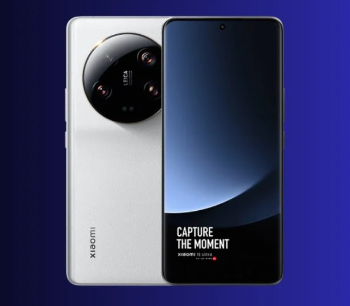
Xiaomi 14 Ultra (Aurora) – Convert China to Global ROM Without Unlocking Bootloader | HyperOS
Password : masood14ultra
If you own a Xiaomi 14 Ultra (Aurora) with a China ROM and want to switch to the Global ROM without unlocking the bootloader, this file is exactly what you need. This Xiaomi 14 Ultra (Aurora) Global ROM conversion allows seamless flashing of HyperOS Global while keeping the bootloader locked, ensuring the device remains secure and retains its warranty.
Why Convert Xiaomi 14 Ultra (Aurora) to Global ROM?
The China ROM on Xiaomi 14 Ultra (Aurora) often lacks Google services and has limitations, such as:
No Google Play Store by default
Limited language options
Pre-installed Chinese bloatware
Compatibility issues with international networks and apps
By converting your Xiaomi 14 Ultra (Aurora) to the Global ROM, you can enjoy:
Google Play Services and Play Store
Full multi-language support
Compatibility with all international apps
Stable performance and regular OTA updates
File Details:
Device: Xiaomi 14 Ultra (Aurora)
ROM Type: Global ROM (China to Global Conversion)
Bootloader Status: Locked (No Unlock Required)
OS Version: HyperOS (Latest Official Release)
Purpose: Convert Xiaomi 14 Ultra from China ROM to Global ROM
Key Features of Xiaomi 14 Ultra (Aurora) Global Conversion File:
No Bootloader Unlock Needed – Keeps warranty intact
Safe and Tested for Xiaomi 14 Ultra (Aurora)
Flashes Directly via Fastboot Mode
Fixes Compatibility Issues with apps and services
Supports OTA Updates post-conversion
Common Issues Solved by Xiaomi 14 Ultra (Aurora) Global ROM:
No Google Play Store or Services
Chinese Bloatware Removal
Limited Language Support
Incompatibility with Global Networks
How to Convert Xiaomi 14 Ultra (Aurora) China ROM to Global ROM:
1. Download the Xiaomi 14 Ultra (Aurora) Global ROM (HyperOS) file.
2. Boot your device into Fastboot Mode by holding Volume Down + Power.
3. Connect the Xiaomi 14 Ultra (Aurora) to your PC.
4. Flash the file using the Mi Flash Tool in "Clean All" mode.
5. Once completed, reboot your Xiaomi 14 Ultra (Aurora) to experience the fully functional Global ROM.
Important Considerations:
This firmware is exclusively for Xiaomi 14 Ultra (Aurora). Flashing on the wrong model can brick your device.
Data backup is recommended before starting the process.
Global ROM ensures access to Google services without the need for additional installation steps.
Why Choose This File for Xiaomi 14 Ultra (Aurora)?
Official Global ROM for Xiaomi 14 Ultra (Aurora)
No Risk of Bricking – Fully tested and verified
Locked Bootloader Compatibility – No unlock required
HyperOS ensures the latest Android experience with optimal performance
???? Download Xiaomi 14 Ultra (Aurora) Convert China to Global ROM (HyperOS) now and enjoy the benefits of a full Global ROM experience without unlocking the bootloader!


